



After setting up bookkeeping software for hundreds of Australian small businesses, here’s what we’ve found actually matters and where most business owners get it wrong.
Through our hands-on experience, we know that modern businesses require cloud-based solutions for flexibility. Mobile access allows bookkeeping from anywhere at any time. Professional features ensure accuracy and regulatory compliance throughout the year.
The best bookkeeping software for business in Australia in 2026 include Xero, MYOB and QuickBooks, then Sage and Wave for those on a tighter budget.
In this guide, we will share our first-hand insights on why specialised bookkeeping software is important for Australian businesses, which compliance features you should look for and our setup expertise to compare cloud and desktop solutions. We will also break down pricing structures and help you identify which bookkeeping package will best suit your business, whether you’re small or large.
Additionally, we will provide our top picks of the 5 most trusted bookkeeping software in Australia in 2026 to help you make an informed choice.
Based on what we see working in the field daily, we will also compare pricing structures, cloud versus desktop solutions and provide our practical guidance on selecting the right package for different business types.
Why Australian Businesses Need Specialised Bookkeeping?
Australian obligations differ significantly from other countries. Every year small businesses have to do more paperwork. Manual bookkeeping takes up a lot of time and resources every day. Using professional software can automate tasks and reduce mistakes.
Simple bookkeeping software for businesses can make things easier. Cloud platforms let you see how your business is doing financially at all times. Integration with banks makes it faster in reconcialation process.
Key Features Required for Australian Businesses
| Feature | Importance | Compliance benefit |
| Reporting | Essential | Compliance |
| STP Integration | Mandatory | Payroll reporting |
| Bank Feeds | Very Important | Time saving |
| Mobile Access | Important | Flexibility |
In todays business environment, where rules, like reporting in real-time, sending documents online and keeping data safe are getting stricter special bookkeeping software makes it easier to follow the rules. This is a part of accounting and bookkeeping services. Businesses that also choose to outsource accountancy tasks can reduce the hassle of following rules more.
When this software works with customer, payment and stock systems the whole accounting process becomes easier. Businesses can finish their yearly tasks without any problems whether they are small or big.
With more and more compliance to follow Australian businesses need bookkeeping software to help them follow the rules easily. This software has to be able to report in time send documents online and keep data safe.
Additionally, integration with CRM, payment and inventory systems it makes managing finances easier. Helps businesses follow the rules they need to every year no matter how big or small they are.
Top 5 Bookkeeping Software Options in Australia 2026
Top 5 bookkeeping software programs have different advantages. Xero is the leader in terms of user-friendliness and app integrations. The program is not suitable for companies which require advanced inventory management. MYOB gives comprehensive Australian-specific compliance features.
QuickBooks gives great reports at affordable prices. Sage provides affordable solutions. Wave provides free solutions for micro businesses.
Top accounting software for bookkeepers should be equipped with advanced functions. Multiclient management makes the process of work easier for professionals. Time tracking helps to bill accurately.
Xero currently dominates the Australian market with more than 60% market share (four million subscribers) due to its cloud-first solution, extensive ecosystem of over 1,000 third-party apps integrations and user-friendliness.
MYOB takes about 20-25% of the market (1.2 million subscribers) because it is preferred by businesses who require comprehensive payroll and inventory management.
QuickBooks is about 15% popular because it has advanced analytics and automation functions, although it is less Australian-specific customisation in comparison with Xero and MYOB.
Undoubtedly, we can say that nowadays most accountants and bookkeepers prefer Xero, then MYOB and QuickBooks Online.
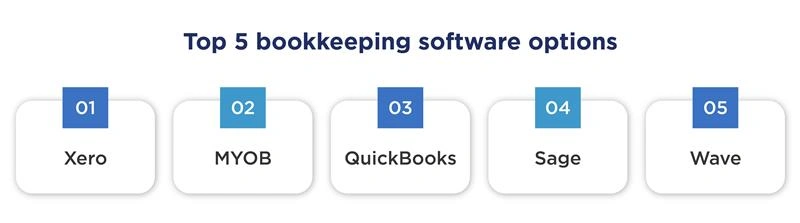
Some popular options for sole traders in Australia include:
- Xero
- MYOB
- QuickBooks
- Sage
- Wave
Related Post: Xero Bookkeeping | Accountants, Bookkeepers & More
What are the best accounting software options?
Some of the top accounting software programs include Xero, MYOB, QuickBooks, Sage and Wave. Choosing one will depend upon your specific business requirements like business size, budget and required features, such as payroll, reporting, automation and integrations.
Market Leaders Comparison
| Software | Monthly cost (AUD) | Best for | Key strengths |
| Xero | $35 – $120+ | SMEs & multi-client bookkeepers | User-friendly, 1,000+ app integrations, strong reporting |
| MYOB | $12 – $75 | Businesses needing payroll & inventory | Hybrid desktop/cloud, strong compliance |
| QuickBooks | $35 – $120 | Service-based SMEs & freelancers | Advanced analytics, automation, strong reporting |
| Sage | Around $20 – $47 | Budget-conscious small businesses | Affordable plans, solid billing and invoicing software for reporting |
| Wave | 0 – $25 | Sole traders & micro-businesses | Free core features, easy invoicing & expenses |
Remember to consider Reckon One, an affordable accounting solution that serves small businesses in Australia and Rounded, a freelancers platform designed for sole proprietors with basic invoicing and expense tracking functionalities.
Requirements from Software
Some of the key features of the software have been highlighted below:
Reporting Requirement
The bookkeeping software should be equipped with certain specific capabilities. Some regulations generate in order to ensure accuracy in quarterly reporting. Starting from 1 July 2017, small business reporting is limited to the total sales only.
Note: It is meant to ensure quarterly reporting accuracy.
Integration with Single Touch Payroll (STP)
It is necessary to submit the payroll details using STP in case of every Australian employer. Payroll details such as salary, wage, withheld, superannuation, leave, allowances and employment basis must be provided each pay run.
Starting from 1 January 2022, STP Phase 2 was implemented with additional reporting requirements in order to provide more payroll information for compliance and auditing purposes.
Employers must prepare STP reports annually by 14 July in order to provide accurate employee income statements.
Electronic Lodgement of Payroll
Bookkeeping software interfaces with systems that make electronic lodgements of payroll report, which is an effective way of submitting, making accurate and saving time during administrative work. Lodging payroll report electronically is one of the methods through which compliance is achieved without incurring any penalties.
Integration of Bank Feed
The majority of bookkeeping software in Australia provides direct integration with banks, including ANZ, CBA, NAB, Westpac, St George, among others, to receive bank transactions every day. It ensures the position of cash flow is maintained up-to-date and processing of transactions is faster and secure using Consumer Data Right (CDR).
More Compliance Recommendations
- It is important to maintain financial record accurately following AASB standards.
- Ensure you have software that automates transaction recording and support real time reporting.
- Update software to meet new regulations.
- In case of difficulties, seek help from professional Xero bookkeepers and outsourced accountants.
Bookkeeping Pricing Structure and Offers
There is a great difference in the bookkeeping fees in Australia starting from $125/mo for micro-businesses and $5,000+/mo for large corporations. The software is much cheaper compared to service charges. Monthly subscriptions offer convenience in managing expenses.
Bookkeeping software starts at £10-15/mo. For mid-range products, the price is estimated at £25-50/mo. For enterprise level products, the monthly fee is at least £50/mo.
Everything on accountancy software explained for $12/mo. Payroll, STP, staff reimbursements, reports – all from the cloud. Perfectly suitable for micro-businesses. Scaling pricing according to your business needs.
Cost-Benefit Analysis
| Business Size | Manual Cost | Software Cost | Annual Saving |
| Sole trader | £3,000 | £300 | £2,700 |
| Small business | £6,000 | £600 | £5,400 |
| Medium business | £12,000 | £1,200 | £10,800 |
Outsourced bookkeeping services typically charge between AU$40 and AU$80 per hour, depending on expertise and complexity.
The fees for outsourced bookkeeping services depend on the complexity involved and range from AU$40 to AU$80 per hour.
While in-house bookkeepers cost up to AU$60,000 to AU$80,000 per year, bookkeeping outsourcing is cheaper since it costs only AU$500 to AU$2,500 per month.
Cloud-Based vs Desktop Solutions
Cloud computing controls the contemporary market fully. Access to real-time data enhances decision-making process. Backup feature guards against data loss. The cloud-based applications also get automatic updates guaranteeing their regulation compliance at all times.
Applications on mobile devices help manage the accounting whilst moving around. Integration with banks facilitates automatic update of transaction data on a daily basis. Remote teamwork is made possible with the use of collaboration tools. Cloud computing makes it easy for business owners, bookkeepers and accountants to collaborate seamlessly without any delays in data files transfer.
Desktop software requires local installation and maintenance. Security updates need manual application regularly. Data backup becomes personal responsibility entirely. Desktop versions often lack integration capabilities available in modern cloud platforms and may not support real-time data sharing or automated updates.
Popular cloud-based applications like Xero, MYOB and QuickBooks are now commonly used accounting software in Australia due to their easy accessibility and good bank account integration.
Desktop software on the other hand is currently used less and mostly for old computer systems and specific purposes.
Xero, MYOB and QuickBooks, being cloud solutions, are now the preferred options in Australia due to their easy accessibility, compliance updates and many bank feeds that they offer and the use of full desktop software is becoming less frequent nowadays.
Get expert Xero bookkeeping services for accurate, up-to-date business financials. Contact Outbooks Australia today.
Benefits of Cloud Accounting for Australian Companies
- Automated compliance updates
- Real-time bank feeds
- Multi-device access anytime and anywhere
- Encryption and backup of data stored in cloud
- Collaborative functionality for remote working on accounting tasks
- Invoicing, payroll and reconciliation automation
- Integration with other business applications such as CRM and online stores
- Scalable pricing plans according to the company’s needs
- Lower cost of maintaining technology and infrastructure
- Improved accuracy of data due to less manual work
- Environmental benefits through paperless financial management
Security and Data Protection
Secured Bookkeeping Software uses bank level encryption all the time. Bookkeeping Software Data Privacy adheres to stringent Australian laws. Security audits are conducted regularly.
Two-factor authentication protects against unauthorised access. Automatic backups prevent data loss due to hardware problems. SSL encryption provides protection for all data transmissions.
Access to information can be controlled by user permissions. All system changes can be tracked through audit trails. Certifications of compliance prove security commitments.
Most bookkeeping software used in Australia today are highly security conscious. They use Multi-Factor Authentication (MFA) to ensure that user’s identity is established and prevent credential thefts.
In order to keep data secure, these software products encrypt it not only ‘at rest’, but also ‘in transit’ to be compliant with the Australian Privacy Act (APPs).
Regarding cybersecurity, these systems are mainly focused on identity management, endpoint protection and incident response.
The users are also offered periodic security awareness training in order to protect themselves from such cyber threats like phishing and social engineering.
Reporting cyber incidents, such as data breaches or ransomware under Australian cyber laws is mandatory.
In addition, major software vendors have international certifications on security compliance such as ISO 27001 and SOC 2 Type II proving that their security measures are robust and reliable.
Multi-Factor Authentication (MFA) is used in modern Australian accounting software solutions for better authentication and prevention of stealing credentials by unauthorised users.
The data is protected when stored and transmitted through encryption according to the Australian Privacy Act (APPs).
The cybersecurity frameworks focus on identity management, endpoint protection and response plans.
Security awareness training can prevent phishing and social engineering attacks.
Reporting data breaches and ransomware attacks is a requirement under Australian cyber laws.
Certifications such as ISO 27001 and SOC 2 Type II are obtained by leading software vendors.
Security Features Checklist
| Feature | Importance | Protection level |
|---|---|---|
| 256-bit encryption | Essential | Bank-grade |
| Two-factor authentication | Critical | High |
| Regular backups | Important | Medium |
| User permissions | Important | Medium |
| Audit trails | Useful | Low |
| Role-based access control | Important | Medium |
| Cloud hosting with firewalls | Essential | High |
| Data encryption in transit and at rest | Essential | Bank-grade |
| Security audits | Important | Medium |
| Security awareness training | Important | Medium |
Automated Bookkeeping Software and Integration Capabilities
Accounting platforms work with many different apps. CRM software simplifies the process of managing customers. E-commerce systems automate sales data input.
Integrated accounting software minimises manual data entry. Bank feeds bring in transactions automatically each day. Invoicing helps save a lot of time.
Payment processing integration speeds up the cash flow. Inventory systems automatically track inventory. Time tracking systems make cost estimating better.
Popular Integration Choices
- Shopify for e-commerce sales
- Stripe for transaction management
- HubSpot for management of customers
- Deputy for staff scheduling
- Receipt Bank for expense management
- ServiceM8, Tradify, NextMinute for managing tradesman jobs
- Xero Hubdoc for document management
- Zapier for broader app automation workflows
These integrations automate work flow, save time, prevent mistakes and increase financial precision, thus ensuring seamless bookkeeping process in 2026 for Australia-based companies. Besides, integration of payable accounts with transaction management systems helps track transactions and manage bill payments without difficulty.
Consideration Factors When Buying Software
Factors to consider when purchasing a software include scalability needs. Business growth requires expandable feature sets. User limits affect team collaboration capabilities.
The need for training determines how successful an implementation can be. Quality of support dictates how fast problems can be sorted out. Complexity of data migration dictates the time it will take to switch.
Recommendations for accounting software for small business will differ depending on the industry type. Different industries will have different needs.
Selection Criteria Matrix
| Criteria | Weight | Evaluation Method |
|---|---|---|
| Compliance | 30% | Feature checklist, certification verification |
| Ease of use | 25% | User reviews, hands-on testing |
| Pricing | 20% | Cost comparison including hidden fees and add-ons |
| Integration | 15% | App marketplace availability, supported API integrations |
| Support quality | 7% | Response testing, availability of local advisors/training |
| Security & Data Privacy | 2% | Review of encryption, backups, authentication methods |
| Scalability & Customisation | 1% | Ability to grow with business and tailor features |
Software Packages for Bookkeeping in Different Types of Businesses
Small business accounting software programs offer different package types for accounting services. Basic packages are suitable for recording transactions. Professional packages provide additional reporting capabilities.
Bookkeeping software for accountants includes multi-client management. It is possible to automate practice management processes and track time.
Enterprise packages are designed for companies consisting of several organisations or using different currencies. Multi-client management allows performing consolidated reporting. Permissions are available for different users.
Package Comparison by Business Type
| Business type | Recommended package | Key features | Monthly cost |
|---|---|---|---|
| Sole trader | Starter | Basic recording | £15-£25 |
| Small business | Professional | Full features | £35-£55 |
| Accounting firm | Practice | Multi-client | £60-£100 |
| Enterprise | Advanced | Consolidated | £100+ |
Implementation and Training Considerations
Proper implementation involves proper planning and preparation. The migration of data from current systems needs careful consideration. Training of employees guarantees optimal software usage.
Hiring an experienced Xero bookkeeper in order to ensure proper set up minimises the risk of noncompliance and solves possible technical problems through proper support and frequent system updates.
Change management processes eases of adaptation, while communication strategies guarantee that the employees will be updated on the whole process. Testing procedures will help in detecting problems before the actual implementation takes place.
Customisation according to the industry is performed during the setup in order to make the system more relevant and accepted.
The integration test with third party systems provides continuity in the data exchange.
Educational materials and documentation provide constant learning opportunities, while the process of feedback collection both during and after the implementation improves the use of the system.
Vendor or consultant training sessions, online webinars and onsite training sessions help in the training process.
Data migration procedures comply with the Australian standards concerning the privacy of information.
Implementation timeline
| Phase | Duration | Key Activities |
|---|---|---|
| Planning | 1-2 weeks | Requirements analysis and project setup |
| Setup | 1 week | Software configuration and internal testing |
| Migration | 1 week | Secure data transfer and validation |
| Training | 2 weeks | Staff education and onboarding |
| Go-live | 1 week | Final system testing and deployment |
Your Trusted Outsourced Accounting Partner.
Get Started TodayConclusion
Selecting the right accounting software changes the way Australian businesses function through automation and not manual labor. Xero has captured the largest market share of 60%, which is due to cloud capability and more than 1,000 integrations, MYOB is the best for payroll requirements and QuickBooks has excellent analytics.
Cloud-based software with STP capability, bank feeds and mobile capabilities guarantee compliance with ATO requirements while also ensuring real-time financial information.
All of these softwares have been used extensively by us in Australia with our clients, so this list isn’t just theoretical. Need assistance selecting and transitioning? Then contact Outbooks Australia on 0451 320 102 or info@outbooks.com.au.
Frequently Asked Questions (FAQs)

Parul is a content specialist with expertise in accounting industry. Her writing covers a wide range of domains such as, Accounts Payable, Accounts Receivables, Bookkeeping and more. She writes well-researched content and has a strong understanding of accounting terms and industry-specific terminologies. As a subject matter expert, she simplifies complex concepts into clear, practical insights, helping businesses with accurate tips and solutions to make informed decisions.