After setting up bookkeeping software for hundreds of Australian small businesses, here’s what we’ve found actually matters and where most business owners get it wrong.
Through our experience, we know that many modern businesses value cloud-based solutions for flexibility. Mobile access allows bookkeeping from anywhere at any time. Useful features can help improve accuracy and support regulatory compliance throughout the year.
The best bookkeeping software for businesses in Australia in 2026 includes Xero, MYOB and QuickBooks, with options such as Sage and Wave also available for some businesses.
In this guide, we will share practical information about why specialised bookkeeping software is important for Australian businesses, which compliance features you should look for and the differences between cloud and desktop solutions. We will also discuss pricing structures and help you identify which bookkeeping package may best suit your business, whether you’re small or large.
Additionally, we will look at five bookkeeping software options available to Australian businesses in 2026 to help you make an informed choice.
We will also cover pricing structures, cloud versus desktop solutions and factors to consider when choosing the right package for different business types.
Why Australian Businesses Need Specialised Bookkeeping?
Australian obligations differ significantly from other countries. Every year small businesses have to do more paperwork. Manual bookkeeping takes up a lot of time and resources every day. Using professional software can automate tasks and reduce mistakes.
Simple bookkeeping software for businesses can make things easier. Cloud platforms let you see how your business is doing financially at all times. Integration with banks makes it faster to reconcile transactions.
Key Features Required for Australian Businesses
| Feature | Importance | Benefit |
|---|---|---|
| Reporting | Essential | Helps businesses review financial performance and prepare reports |
| STP Integration | Important for employers with payroll obligations | Supports payroll reporting |
| Bank Feeds | Very important | Saves time when reconciling transactions |
| Mobile Access | Important | Provides flexibility |
In today’s business environment, requirements around reporting, digital record-keeping and data security make suitable bookkeeping software useful for Australian businesses. This is a part of accounting and bookkeeping services. Businesses that also choose to outsource accountancy tasks can reduce the time spent managing bookkeeping and accounting processes.
When this software works with customer, payment and stock systems, the whole accounting process becomes easier. It can help businesses organise records and prepare for their regular reporting obligations.
Integrations with CRM, payment and inventory systems can also make financial management easier. The features a business needs will depend on its size, industry and reporting obligations.
Top 5 Bookkeeping Software Options in Australia 2026
Top 5 bookkeeping software programs have different advantages. Xero is known for its cloud-based platform and app integrations. Businesses with complex inventory requirements should check whether the features available in their chosen Xero plan or connected apps meet their needs. MYOB offers accounting and payroll features for Australian businesses.
QuickBooks offers reporting and automation features. Sage provides accounting software options for businesses with different needs and budgets. Wave provides a free accounting option in some markets, but Australian businesses should check its current availability, features and suitability before choosing it.
Top accounting software for bookkeepers should be equipped with advanced functions. Multiclient management makes the process of work easier for professionals. Time tracking helps to bill accurately.
Xero, MYOB and QuickBooks are established accounting software options, but their features, plan limits and suitability vary. Avoid relying on market-share percentages unless they are supported by recent, relevant and verifiable Australian market data.
Xero provides an app ecosystem, while MYOB and QuickBooks offer their own integrations and business management features. Compare the available functions against your actual workflow rather than choosing software based only on popularity.
Undoubtedly, accountants and bookkeepers may choose different platforms depending on client requirements, existing systems and their preferred workflows.
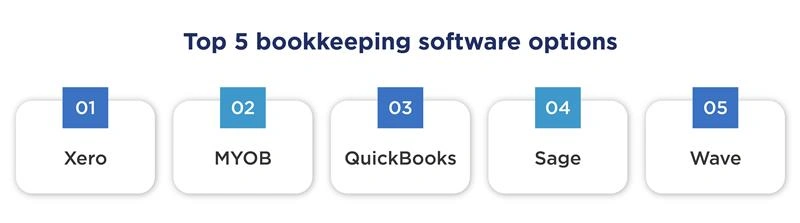
Some popular options for sole traders in Australia include:
- Xero
- MYOB
- QuickBooks
- Sage
- Wave
Also check: Xero Bookkeeping Services in Australia
What are the best accounting software options?
Some of the top accounting software programs include Xero, MYOB, QuickBooks, Sage and Wave. Choosing one will depend upon your specific business requirements like business size, budget and required features, such as payroll, reporting, automation and integrations.
Market Leaders Comparison
| Software | Pricing | Best for | Key strengths |
|---|---|---|---|
| Xero | Check current Australian plans | SMEs and businesses needing connected apps | Cloud-based platform, app integrations and reporting |
| MYOB | Check current Australian plans | Businesses needing accounting, payroll or inventory features | Accounting and payroll options, including plans for different business sizes |
| QuickBooks | Check current Australian plans | Service-based SMEs and freelancers | Reporting, automation and accounting features |
| Sage | Check current Australian availability and plans | Businesses whose needs and budget match its available products | Accounting and financial management features |
| Wave | Check availability and plan features for Australian users | Some sole traders and micro-businesses | Invoicing and accounting features, subject to availability |
Prices and included features can change. Check each provider’s official Australian pricing page before making a decision. For example, Xero publishes its Australian plan details on its pricing page, and MYOB lists its plans on its pricing page.
Remember to consider Reckon One, an affordable accounting solution that serves small businesses in Australia and Rounded, a freelancers platform designed for sole proprietors with basic invoicing and expense tracking functionalities.
Requirements from Software
Some of the key features of the software have been highlighted below:
Reporting Requirement
The bookkeeping software should be equipped with certain specific capabilities. Businesses should choose reporting features that match their accounting, tax and management requirements. The reporting information required will depend on the business structure and its obligations.
Note: Check the relevant reporting requirements with the Australian Taxation Office (ATO) or a qualified accountant, as requirements can differ between businesses.
Integration with Single Touch Payroll (STP)
Employers with STP reporting obligations need to report payroll information to the ATO through Single Touch Payroll. Payroll details can include salary and wages, tax withheld, superannuation and other information required for the relevant reporting phase.
Starting from 1 January 2022, STP Phase 2 was implemented with additional reporting requirements in order to provide more payroll information for compliance and auditing purposes.
Employers generally need to make an STP finalisation declaration by 14 July each year, unless a different due date or arrangement applies. Check the ATO’s guidance for the requirements relevant to your circumstances.
Electronic Lodgement of Payroll
Bookkeeping software interfaces with systems that make electronic lodgements of payroll report, which is an effective way of submitting, making accurate and saving time during administrative work. Using suitable software can help employers report payroll information electronically, but software alone does not guarantee compliance or prevent penalties. Employers remain responsible for meeting their obligations.
Integration of Bank Feed
Many bookkeeping platforms offer bank feeds or bank transaction imports. These can help businesses keep cash-flow information up to date and speed up transaction processing. Check which banks and account types are supported, how frequently transactions are imported and whether any additional charges apply.
More Compliance Recommendations
- It is important to maintain accurate financial records and follow the requirements relevant to your business.
- Ensure you have software that automates transaction recording and supports reporting features relevant to your business.
- Update software and review changes to relevant requirements.
- In case of difficulties, seek help from professional bookkeepers and accountants.
Pricing Structure and Offers
There is a great difference in the bookkeeping fees in Australia starting from $125/mo for micro-businesses and $5,000+/mo for large corporations. These figures should be treated as indicative only and verified against current provider quotes, as fees depend on transaction volumes, complexity and the services included. The software is much cheaper compared to service charges. Monthly subscriptions offer convenience in managing expenses.
Software subscription prices vary by provider, plan, billing frequency and included features. Avoid using GBP figures in an Australian-focused comparison. Check current Australian pricing and confirm whether GST, payroll, additional users and integrations are included.
Accounting software may include features such as payroll, STP reporting, staff reimbursements and financial reports, but availability depends on the provider and subscription plan.
Cost-Benefit Analysis
| Business size | Manual bookkeeping cost | Software cost | Potential annual saving |
|---|---|---|---|
| Sole trader | Estimate based on the business’s current process | Use the selected plan’s current annual cost | Calculate using comparable costs |
| Small business | Estimate based on the business’s current process | Use the selected plan’s current annual cost | Calculate using comparable costs |
| Medium business | Estimate based on the business’s current process | Use the selected plan’s current annual cost | Calculate using comparable costs |
A meaningful cost comparison should include more than the subscription fee. Consider setup, training, payroll add-ons, extra users, integrations and the time required to maintain accurate records.
Outsourced bookkeeping services typically charge between AU$40 and AU$80 per hour, depending on expertise and complexity. These rates should be verified before publication and may vary by provider and scope of work.
The fees for outsourced bookkeeping services depend on the complexity involved, transaction volumes and the services included.
While in-house bookkeepers cost up to AU$60,000 to AU$80,000 per year, bookkeeping outsourcing is cheaper since it costs only AU$500 to AU$2,500 per month. These figures are estimates and should be supported with current Australian data before being presented as typical costs. Total costs can vary significantly according to workload, location, experience and service scope.
Cloud-Based vs Desktop Solutions
Cloud computing is widely used in modern accounting software. Access to real-time data can enhance decision-making. Cloud backup features may help protect against data loss, while software updates can provide new features and security improvements. However, users should check each provider’s backup and update arrangements.
Applications on mobile devices help manage the accounting whilst moving around. Integration with banks facilitates automatic update of transaction data. Remote teamwork is made possible with the use of collaboration tools. Cloud computing makes it easy for business owners, bookkeepers and accountants to collaborate using shared financial records.
Desktop software requires local installation and maintenance. Security updates need manual application regularly. Data backup becomes the user’s responsibility unless a separate backup service is in place. Desktop versions may have fewer built-in integration or real-time collaboration options than some cloud platforms, depending on the product and version.
Popular cloud-based applications like Xero, MYOB and QuickBooks are now commonly used accounting software in Australia due to their easy accessibility and integration options.
Desktop software may still suit businesses with particular legacy systems, workflows or access requirements. Compare the support, security, backup and integration arrangements of each product before deciding.
Benefits of Cloud Accounting for Australian Companies
- Access to financial information across supported devices
- Bank feeds and transaction import options
- Multi-device access anytime and anywhere
- Cloud storage and backup features, depending on the provider
- Collaborative functionality for remote working on accounting tasks
- Invoicing, payroll and reconciliation automation
- Integration with other business applications such as CRM and online stores
- Scalable pricing plans according to the company’s needs
- Reduced need to maintain some local software infrastructure
- Potentially fewer manual data-entry tasks
- Support for paperless financial processes
Security and Data Protection
Bookkeeping software providers may use encryption and other security controls to protect financial information. The specific safeguards differ between providers and plans, so businesses should review the provider’s security documentation rather than assume every product offers the same protection.
Two-factor authentication protects against unauthorised access. Where available, enable multi-factor authentication (MFA), use strong unique passwords and review user permissions regularly.
Access to information can be controlled by user permissions. Audit trails, where provided, can help users review changes to financial records. Certifications of compliance may provide additional information about a provider’s security controls, but check the scope and validity of any certification.
Businesses should also consider their own responsibilities for access management, staff training, backups and responding to suspected security incidents.
The Australian Privacy Act and the Australian Privacy Principles (APPs) apply to covered organisations and situations. Businesses should confirm which privacy obligations apply to them and review how their software provider handles personal information.
Security awareness training can help users recognise phishing and social engineering attempts. Reporting obligations for eligible data breaches and other cyber incidents depend on the circumstances and applicable laws.
Security Features Checklist
| Feature | What to check | Why it matters |
|---|---|---|
| Encryption | Whether data is encrypted in transit and at rest | Helps protect information |
| Two-factor or multi-factor authentication | Whether MFA is available and enabled | Helps reduce the risk of unauthorised access |
| Backups | Backup frequency and restoration options | Helps with recovery after data loss |
| User permissions | Whether access can be restricted by role | Limits access to relevant information |
| Audit trails | Whether important changes are recorded | Helps with reviewing activity |
| Role-based access control | Whether different permission levels are supported | Helps manage team access |
| Cloud hosting and security controls | Provider’s security documentation | Helps assess the provider’s safeguards |
| Security audits and certifications | Scope and validity of any claimed certification | Provides information about security assurance |
| Security awareness | Availability of guidance and training | Helps users identify common threats |
Automated Bookkeeping Software and Integration Capabilities
Accounting platforms work with many different apps. CRM software simplifies the process of managing customers. E-commerce systems automate sales data input.
Integrated accounting software minimises manual data entry. Bank feeds bring in transactions automatically each day. Invoicing helps save a lot of time.
Payment processing integration speeds up the cash flow. Inventory systems automatically track inventory. Time tracking systems make cost estimating better.
Popular Integration Choices
- Shopify for e-commerce sales
- Stripe for transaction management
- HubSpot for management of customers
- Deputy for staff scheduling
- Dext (formerly Receipt Bank) and other receipt-capture tools for expense management
- ServiceM8, Tradify, NextMinute for managing trade jobs
- Xero Hubdoc for document management
- Zapier for broader app automation workflows
These integrations automate workflows, save time, prevent mistakes and can improve the accuracy of financial records. Check that each integration is currently supported by your accounting platform and meets your business’s data and reporting needs. Besides, integration of payable accounts with transaction management systems helps track transactions and manage bill payments without difficulty.
Consideration Factors When Buying Software
Factors to consider when purchasing software include scalability needs. Business growth requires expandable feature sets. User limits affect team collaboration capabilities.
The need for training determines how successful an implementation can be. Quality of support dictates how fast problems can be sorted out. Complexity of data migration dictates the time it will take to switch.
Recommendations for accounting software for small business will differ depending on the industry type. Different industries will have different needs.
Selection Criteria Matrix
| Criteria | Suggested weighting | Evaluation method |
|---|---|---|
| Compliance | Review as a priority | Check features against the business’s actual obligations |
| Ease of use | Assess during a trial or demonstration | Test common tasks and review usability |
| Pricing | Compare total costs | Include subscriptions, add-ons and extra users |
| Integration | Check required integrations | Review app marketplace and supported connections |
| Support quality | Review available support | Check support channels, hours and training |
| Security and data privacy | Review provider safeguards | Check encryption, backups, authentication and privacy information |
| Scalability and customisation | Assess future requirements | Check whether the software can support expected business growth |
The weightings in the original matrix added up to 100%, but the categories and percentages were not supported by a documented evaluation method. The revised matrix therefore focuses on practical checks rather than presenting arbitrary scores.
Software Packages for Bookkeeping in Different Types of Businesses
Small business accounting software programs offer different package types for accounting services. Basic packages are suitable for recording transactions. Professional packages provide additional reporting capabilities.
Bookkeeping software for accountants includes multi-client management. It is possible to automate practice management processes and track time.
Enterprise packages are designed for companies consisting of several organisations or using different currencies. Multi-client management allows performing consolidated reporting. Permissions are available for different users.
Package Comparison by Business Type
| Business type | Features to look for | Examples of requirements |
|---|---|---|
| Sole trader | Invoicing, expense tracking and basic reporting | Simple day-to-day bookkeeping |
| Small business | Bank feeds, GST/BAS support, reporting and payroll where required | Managing regular transactions and obligations |
| Accounting firm | Multi-client access, practice workflows and reporting | Managing records for multiple clients |
| Enterprise | Multi-entity support, permissions and advanced reporting | Managing complex operations or multiple organisations |
Software plans are not always labelled “Starter”, “Professional”, “Practice” or “Advanced” across providers. Compare the actual features and plan limits rather than relying on generic package names.
Implementation and Training Considerations
Proper implementation involves proper planning and preparation. The migration of data from current systems needs careful consideration. Training of employees helps them use the software effectively.
Hiring an experienced bookkeeper can help with setup, data migration and identifying potential bookkeeping issues. Businesses should also check that the software is configured correctly and that relevant reporting obligations are understood.
Change management processes can make adaptation easier, while communication strategies help keep employees informed. Testing procedures will help in detecting problems before the actual implementation takes place.
Customisation according to the industry may be performed during setup in order to make the system more relevant to the business’s workflow.
The integration test with third party systems provides continuity in the data exchange.
Educational materials and documentation provide constant learning opportunities, while the process of feedback collection both during and after the implementation improves the use of the system.
Vendor or consultant training sessions, online webinars and onsite training sessions help in the training process.
Data migration should be planned carefully, with appropriate access controls and safeguards for personal and financial information.
Implementation timeline
| Phase | Indicative duration | Key activities |
|---|---|---|
| Planning | 1–2 weeks | Requirements analysis and project setup |
| Setup | 1 week | Software configuration and internal testing |
| Migration | 1 week | Data transfer and validation |
| Training | 2 weeks | Staff education and onboarding |
| Go-live | 1 week | Final system testing and deployment |
This timeline is illustrative only. The actual implementation time will depend on data volume, integrations, business complexity and staff availability.
Conclusion
Selecting the right accounting software changes the way Australian businesses function through automation and not manual labor. Xero, MYOB and QuickBooks each offer different features, and the right fit depends on a business’s requirements. Businesses should compare payroll, reporting, integrations, pricing and support before choosing a platform.
Cloud-based software with STP capability, bank feeds and mobile capabilities can help businesses manage payroll and financial information. However, using software does not automatically guarantee compliance with ATO requirements; businesses remain responsible for meeting their obligations.
When comparing software, consider the features you need now, the costs of any additional tools and whether the platform can support your business as it grows. Need assistance selecting and transitioning? Then contact Outbooks Australia on 0451 320 102 or info@outbooks.com.au.
Frequently Asked Questions (FAQs)
Are free accounting software options enough for small firms?
Free accounting software can work for some micro-businesses, but small businesses may need features like reporting, bank feeds and expert assistance, depending on their circumstances. Check which features are included in the free plan and whether any limits or paid add-ons apply.
What key features should a small Aussie business look for in bookkeeping software?
Look for features that match your business needs, such as transaction recording, bank feeds, invoicing, reporting, GST/BAS support, payroll and integrations. The requirements will vary depending on your business structure and whether you employ staff.
What are the most used bookkeeping software in Australia in 2026?
Some of the most widely used bookkeeping software include QuickBooks, Xero and MYOB by Australian businesses. However, this article does not establish a verified market-share ranking for 2026.
Which programs are capable of offering Australian-specific compliance requirements?
Check whether the software supports the relevant Australian requirements for your business, such as GST/BAS reporting and STP payroll reporting where applicable. Confirm the features and plan limitations with the provider before subscribing.
Are cloud-based software options better than desktop software or hybrid solutions?
Cloud-based software can offer convenient remote access, shared records and online integrations. Desktop or hybrid software may still suit businesses with particular workflows or system requirements. Compare security, backup, access, integration and support features before deciding.
Which bookkeeping software would be the best choice for small business owners and sole proprietors?
There is no single option that suits every business. Compare your transaction volume, budget, reporting needs, integrations and the level of support you require.
What should I consider when choosing the best bookkeeping software package for my business?
Consider transaction frequency, compliance, integrations, budget, scalability and usability. Also check payroll limits, user limits, data migration requirements and the cost of add-ons.
Is it possible for small businesses to use the same bookkeeping software for bookkeeping and accounting?
Yes. Many accounting platforms include bookkeeping and accounting functions, but the features available depend on the product and plan. Some businesses may also need separate tools or support from an accountant.
How do Xero or QuickBooks rank among the top 5 bookkeeping software options?
Xero and QuickBooks are included among the software options discussed in this guide. This article does not provide a verified comparative ranking, and suitability will depend on each business’s requirements.
How do I choose accounting software that suits my business needs?
List the tasks you need the software to handle, identify your reporting and payroll requirements, compare current plan features and costs, and test the software before committing where a trial or demonstration is available.
Is accounting software worth the cost compared to manual bookkeeping and outsourcing accounting functions?
It depends on your transaction volume, the time spent on bookkeeping, the software’s cost and whether you need professional support. Compare the total cost of software and internal work with the cost and scope of outsourced services before deciding.